
Features
Everything between the booking and the payout
StageCut is for anyone who gets paid in music entertainment, solo or with a band: solo artists, duos, DJs, karaoke hosts, sound techs and full bands. It was built by a local musician to do the part of the job nobody claps for: keeping track of every gig, every mile and every dollar, paying others when there is a band, and having your year-end numbers ready any day. Here's every piece of it.
- What is StageCut?
- One powerful app for the whole business side of gigging: your calendar, the pay split, your money or your band’s, the paperwork, the promo, and your shows on a public map.
- Is it for me?
- If you get paid to play, yes, band or no band. Solo artists, duos, DJs, KJs, sound engineers and bands of any size, from one person to a hundred.
- Why try it?
- See what each gig really pays you, pay everyone the same fair way every time, and stop working it out in a group chat. It’s free to start.
Gigs and calendar
Each booking, for each act you play with.
- Full gig details
- Date, venue, client, address, start and end times, load-in and soundcheck.
- Venues and clients
- Keep contacts for the rooms you play and the people who book you.
- Master calendar
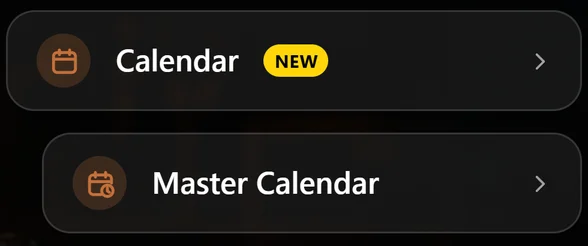
- See the gigs of every band or act you lead or play in together, so a double booking shows up before it happens.
- Send to your phone's calendar
- Add a gig to your device calendar with one tap.
Booking tools
The paperwork and promo that come with every booking, built in.
- Agreements & quotes
- Three ready templates: a services agreement and quote, a performance agreement covering the date, venue, times and fee, and a production package proposal.
- Promo copy
- Hype text for the show, ready for Facebook, Instagram and the rest.
- Gig banner helper
- Pick photos of the act, a venue photo and your logo, and StageCut writes the prompt for an AI image app to build a gig poster.
- Stage plot and tech rider
- The sound engineer at the venue doesn't know how you play or where you stand. Pull a gig you already booked, with the players already on it, and lay the stage out, who stands where, with the channel list and the mixer settings you prefer. Email the rider as a PDF, then save the plot for the next room. The gig took two minutes to enter from the phone call; the rider is already half done.
- Schedule flyer
- A flyer of your upcoming gigs, ready to post.
- Follow-Up Builder
- Booking replies, reminders and follow-ups, filled in from a saved gig, then texted or emailed in one tap.
- Your act's color
- Each band or act gets its own brand color, in light or dark mode.
Getting paid, and paying others
Each rule is a switch. Flip it for the whole band or for one gig.
- Mileage, or not
- Pay back mileage at your per-mile rate before anyone is paid, or leave it out. Gig costs come out first the same way.
- Band fund, or not
- Put a percent or a flat amount aside from every gig, or skip it. The fund keeps a running balance.
- Set something aside, or don't
- If you hold a percentage back from each share, set the rate once and StageCut does it every gig, on the income you choose (check, cash, tips). Leave it at zero and it never comes up.
- Flat pay
- Pay a sub or a sound tech a fixed amount while everyone else splits the rest.
- Takes no pay
- A member, or you as leader, can give up their pay for a gig and send it straight to the band fund. Nobody else's pay changes, and the fund's running balance shows what's there for new gear or repairs.
- Expenses and deductions for one person
- Charge a cost to the members it belongs to, or take a deduction out of one member's pay.
- Paid locks the amount
- Mark a member paid and their figure is frozen. Edit the gig later and the others absorb the change.
- Paid, owed and withheld
- Totals shows what each member has been paid, what they're still owed and what was withheld.
Members and Band Sync (for bands)
Let the band in without showing them the ledger.
- One number per gig
- Members see the calendar, their own gigs and their own Total Paid. No gross, no tax math, no one else's pay.
- Enter a gig once
- Add a gig one time and everyone on it has it on their own phone. Android members get a notification when a gig is added or changed.
- Invite with a code
- Send an invitation and the member joins with their own StageCut account. A free band can invite up to 2 members on the web; a Band Sync plan adds seats for the rest.
- Trimmed copies
- Once you link a member to their account, the copy their phone receives carries their own payout figures, not the band's finances.
- Leader PIN
- The leader's side of a band is protected by a PIN, so a borrowed phone doesn't open the books.
- Roster from contacts
- Add a member by picking them from your contacts. StageCut takes only that person's name and number.
- Only while they're on the roster
- Members see the band's calendar and gigs only while they're on it. When someone moves on, archive them: they come off the roster, the band's calendar and new gigs stop reaching them, and their seat goes back to your pool.
- Lead one band, play in another
- Your role is set per band, so you can run your own band and still be a member somewhere else.
Money beyond the gig
Gear, insurance, invoices and any fund you keep all get tracked too.
- Business expenses
- Track gear, insurance, marketing and subscriptions by category. Recurring expenses add themselves each month.
- Paid from the band fund
- Mark an expense as paid from the fund and the fund balance goes down with it.
- Invoices, when they ask
- Not every venue wants one, but when they do, the check usually comes a week later, so get it right the first time. The gig, the venue and who to bill are already on file; StageCut fills the invoice with your legal name, mailing address, who checks are payable to, and your Venmo, PayPal or Cash App, as a PDF ready to email. No evening of paperwork.
- Income by month
- See your busy months and slow months at a glance.
- Income by gig type, venue and client
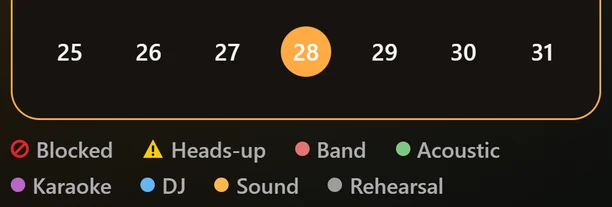
- Tag each gig as Band, Acoustic, Karaoke, DJ or Sound and see what each kind of work earns, plus your totals at every venue and from every client.
- Future outlook
- See what the gigs already on the books will bring in.
- Merch table NEW
- Keep a list of what you sell at the merch table. Log each stock purchase and each sale, and see what is on hand, what you spent and what each sale earned, using your average cost for that item. Tie a sale to a gig if you like. Only leaders and co-leaders see it; members never do. On the web now.
Year-end reports
Year-end totals, any day.
- Year-End report, any day
- Run it in March or in December: each member's paid, owed, scheduled, tax withheld and net total, with mileage and the band's annual summary, as a PDF.
- 1099 tracking
- Mark which members get a 1099 so every member's paid and owed for the year is ready any day.
- Your books, your account
- On the web your band or act is kept in your StageCut account. On the phone apps it stays on your phone until you switch on Band Sync. Leaders can export a full backup any time.
- Account deletion
- Delete your account from inside the app. See what's removed and when.
Phone, tablet or computer
Use it on any device, in any browser.
StageCut runs at app.stagecut.net. Nothing to install: open it in any browser on your phone, tablet or computer, and sign in.
- One account, the same band everywhere. Sign in on any device and your band is there.
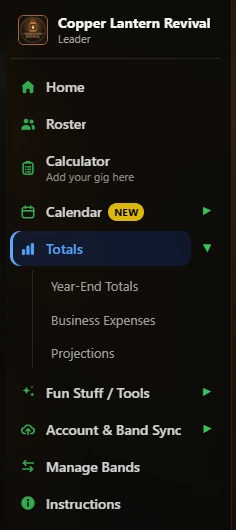
- Room to work on a computer. Every screen is one click away in the side menu.
- The Android app is on Google Play. iPhone and iPad are on the way.
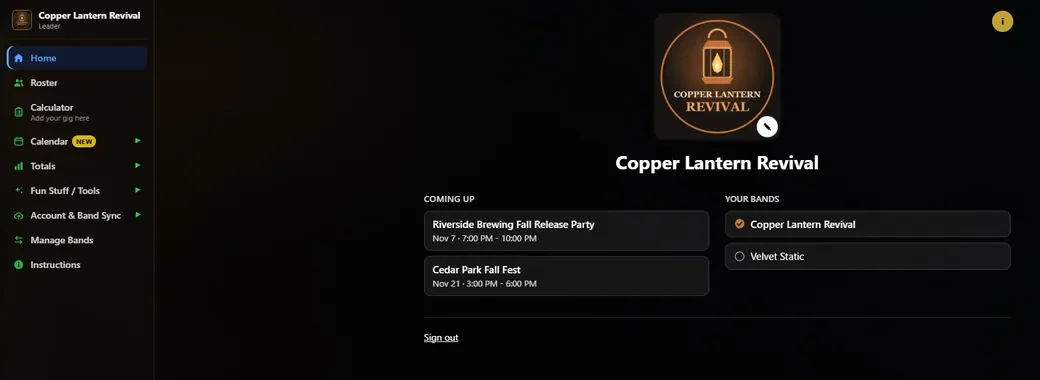
Side menu
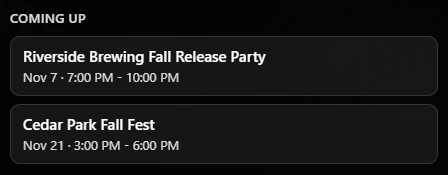
Home screen
Calendar
Why we built it for more than one band
Most of us play in more than one band.
Your drummer has a Friday project. Your bass player subs for two other groups. You might DJ on Thursdays and run sound on Sundays. That’s how working musicians live, and StageCut is built around it.
- Lead one band, play in another. Your role is set per band, from the same account.
- One calendar across all of them. The Master Calendar flags the days two of your bands overlap.
- One plan, as many bands as you want. Seats are counted per person, not per band.
The multi-band wizard
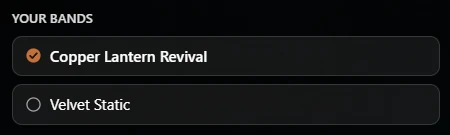
Master Calendar
Try the math before you install anything
The free calculator cuts up a gig the same way the app does, right in your browser.